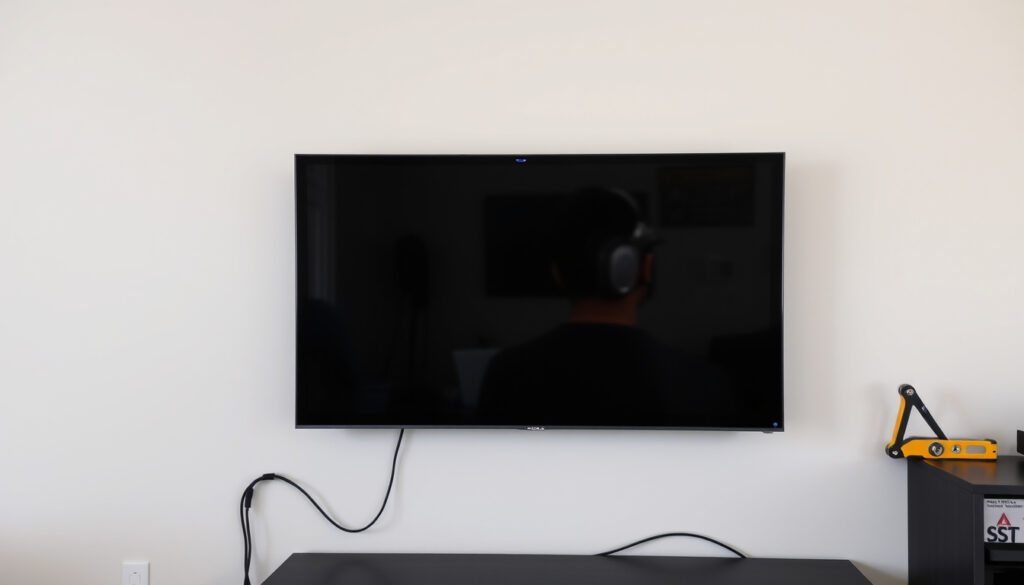
TV Wall Mounting Guide: Costs, Safety & Placement Tips
Anyone who’s ever tried to position a TV just right knows the battle: the stand hogs floor space, the angle never quite works, and cables turn into a tangled mess. Wall mounting offers a clean, space-saving fix that has become a popular choice across Irish homes, with professional services commonly advertised from about €79.99 to €130 for straightforward installs depending on provider and TV size.
Average cost to wall mount a TV: €80 – €300 ·
Common TV sizes for wall mounting: 55–75 inches ·
Tools typically needed: Stud finder, drill, level, screwdriver, cable ties ·
Professional installation time: 1–2 hours ·
Percentage of homes with wall-mounted TVs: ~30% (estimated)
Quick snapshot
- TV must be mounted into studs (or use heavy-duty anchors) for safety (TV Installation Ireland)
- Professional installation typically costs €80 – €300 (Dublin TV Services)
- Wall mounting improves viewing angle and saves floor space (Installer.ie)
- Exact cost varies by region and installer — some quotes include bracket, others don’t
- Long-term impact on wall integrity is case-dependent (plaster type, brick type)
- Compatibility of brackets with different VESA patterns may require additional adapters
- Choose bracket type (fixed, tilting, full-motion)
- Arrange cable management (conduit, in-wall, or covers)
- Calibrate viewing height and angle
Here’s a quick reference of the most important numbers.
| Fact | Value |
|---|---|
| Average cost | €80 – €300 |
| Tools needed | Stud finder, drill, level, screwdriver, cable ties |
| Time to install | 1–2 hours |
| Bracket types | Fixed, tilting, full-motion |
| Common TV sizes | 55–75 inches |
How much does it cost to wall mount a TV?
What factors affect the cost?
Professional TV wall mounting in Ireland is priced based on the TV size, wall type, and whether you supply your own bracket. Dublin TV Services charges €85 for mounting only (client provides bracket) and €125 if a flat wall bracket is supplied. For an extendable bracket, the price jumps to €165. Installer.ie uses a tiered system: Bronze (0-44″ TVs) from €109, Silver (43-85″) from €159, and Gold (43-85″ with extra services) from €259. The largest single cost driver is the TV size — Promount charges €110 for 50″ or smaller, €120 for 55″, and €130 for 65″ to 100″.
How much do professionals charge?
Across the board, a straightforward wall mount runs between €80 and €300. TV Installation Ireland advertises services from €79.99 to €130. Taskmatch (a trades platform) puts the labour-only cost at €60–€90, with brackets ranging from €25 (flat) to over €150 (extendable). The bracket itself can be bought separately: Powercity lists wall brackets from €17.95 to €64.95, while Home Electronics Ireland sells a flat mount for 32-65″ TVs at €38.99 and a full-motion mount for 32-100″ at €289.99.
Can I mount a TV myself to save money?
DIY is certainly cheaper on labour, but it requires the right tools and a steady hand. You’ll need a stud finder, drill, spirit level, and appropriate screws. If you already own these, the only cost is the bracket. However, mistakes — like missing a stud or drilling into a pipe — can turn a €50 saving into a €500 repair. Professional installers typically include liability insurance, which is a quiet safety net.
The implication: factoring in the value of insurance and risk, professional installation often pays for itself.
Is a wall mounted TV a good idea?
What are the pros of wall mounting?
- Frees up floor space — no bulky stand needed
- Cleaner, more modern look
- Better viewing angle at eye level
- Reduces glare when placed opposite windows
For many Irish homeowners, the biggest win is reclaiming floor space. A wall-mounted TV can make a small living room feel larger. Dublin TV Services notes that wall mounting also makes it easier to place the TV at the optimal height for comfortable viewing.
What are the cons?
- Potential damage to walls — drilling into plasterboard without studs is risky
- Less flexibility to reposition the TV once mounted
- Harder to access rear ports and cables
- May require professional help for cable management
The trade-off is clear: you trade mobility for aesthetics. If you rent or might move the TV regularly, a stand is more practical. Installer.ie points out that some packages include hiding cables in conduit, which adds cost but delivers a truly seamless look.
For renters or frequent movers, a wall mount can be a hassle. For homeowners who want a clean, modern setup, the upfront effort pays off in daily living space.
The pattern: mount if you’re settled, stand if you’re not.
TV Stand vs Wall Mount: Which is Best for Your Space?
What are the advantages of a TV stand?
A TV stand offers mobility — you can slide it along the wall, reposition it for cleaning, or take it with you when you move. Many stands also include storage shelves for consoles, remotes, and decor. For large families, the ability to angle the TV slightly (if the stand has a swivel base) can be a real benefit.
What are the advantages of a wall mount?
Wall mounting saves floor space and provides a cleaner look with no visible cables (if managed properly). It also allows you to mount the TV at the perfect ergonomic height — typically eye level when seated. Dublin TV Services offers mounting above a fireplace or radiator as included options in some packages, which a stand cannot achieve.
One key difference: weight distribution. A stand supports the TV on a flat surface, while a wall mount relies on the wall structure. For safety, a wall mount must be anchored into studs, whereas a stand only needs a level floor.
| Feature | TV Stand | Wall Mount |
|---|---|---|
| Space usage | Floor space consumed | Floor space freed |
| Mobility | Easy to move | Fixed — requires unmounting |
| Cable management | Often built-in shelves | Requires separate conduit or in-wall kit |
| Viewing angle | Limited by stand height | Adjustable (tilting/full-motion brackets) |
| Installation difficulty | Easy (unbox and place) | Moderate to hard (stud finder, drilling, levelling) |
| Cost | €50–€300 (stand) | €80–€300 (mount + installation) |
The pattern: a stand is best for flexibility and instant setup, while a wall mount is ideal for a permanent, space-saving, cleaner look. The choice depends on whether you value mobility or aesthetics more.
What are the rules for mounting a TV on the wall?
What are the building code requirements?
In Ireland, there are no specific national building regulations for TV wall mounting, but standard electrical safety rules apply. If you need to hide cables inside the wall, you must use a compliant cable management system and, depending on the wall type, may need to consult a registered electrician. ECSA (Electrical Contractors’ Safety and Standards Association) guidance recommends that any in-wall wiring be done by a qualified professional to avoid fire risks.
Do I need to find studs?
Yes, absolutely. Mounting a TV into plasterboard without hitting a stud is dangerous. The bracket and TV must be secured to the wooden studs (or metal studs in commercial builds) using appropriate lag bolts. TV Installation Ireland states that every professional install involves locating studs with a finder and drilling into them. If you cannot find a stud at the desired position, you may need to use heavy-duty toggle anchors rated for the TV’s weight — but this is less secure.
Weight limits of brackets
Every bracket has a maximum weight capacity, usually printed on the box. For a 55-inch TV (typically 15-25 kg), a standard flat or tilting bracket rated for 30 kg is sufficient. For larger TVs (65-75 inches), choose a bracket rated for at least 50 kg. Powercity lists brackets with varying weight limits — always check before buying.
A TV that falls off the wall can cause serious injury. The rule is simple: mount into studs, use the right bracket, and never exceed the weight limit. Skipping these steps is not worth the risk.
The catch: even a small error in stud location can lead to a dangerous failure.
Do I need an electrician to wall mount a TV?
When is an electrician required?
If you plan to hide cables inside the wall (running HDMI and power behind the plaster), you may be required by Irish electrical regulations to hire a registered electrician for the power socket work. ESB Networks advises that any work on fixed electrical installations should be carried out by a competent person. Most professional TV mounting services include cable management but do not move sockets — that’s a separate job.
Can I do it myself?
Mounting the TV bracket and connecting the cables does not legally require an electrician. You can drill into studs, attach the bracket, and plug the TV into an existing socket. However, if you need to add a new socket behind the TV, or reroute cables through the wall, you should hire a qualified electrician. Installer.ie notes that some packages include connecting up to 3 devices and hiding cables in conduit — but they do not move sockets.
The implication: know the scope of your project before deciding whether to call an electrician.
Where not to put your TV?
What is the best height for a wall-mounted TV?
The ideal viewing height is when the centre of the screen is at eye level when seated — typically 42-48 inches from the floor for a 55-inch TV. Dublin TV Services recommends adjusting the height based on your seating distance and chair height. A common mistake is mounting too high, especially above a fireplace, which forces you to tilt your neck up.
What areas should be avoided?
- Above a fireplace — heat and soot can damage the TV over time; also, the height is usually too high for comfortable viewing.
- Direct sunlight — glare makes the screen hard to see and can cause overheating.
- On an external wall that lacks insulation — cold can affect TV performance.
- Near a radiator — heat can warp the TV casing; some installers, like Dublin TV Services, do offer mounting above a radiator as an option, but it’s not ideal.
The implication: placement is about long-term comfort and TV longevity. The height should be governed by your eyes, not by the room’s architecture.
Comparison: TV Stand vs Wall Mount
We already covered the core comparison above. Two options, one critical trade-off: flexibility versus permanence. For a quick decision, ask yourself: “Am I staying in this home for at least two years?” If yes, go wall mount. If you might move, a stand makes more sense.
Pros and Cons of Wall Mounting
Upsides
- Frees up floor space
- Clean, modern aesthetic
- Better viewing angle at eye level
- Reduces glare
- Can be done above furniture without taking up shelf space
Downsides
- Requires drilling into walls
- Less flexible to reposition
- Risk of wall damage if not done correctly
- Harder to access rear ports
- Professional installation adds cost
The pattern: the upsides are aesthetic and spatial, the downsides are about commitment and risk.
Step-by-Step: How to Wall Mount a TV
- Choose the bracket — fixed, tilting, or full-motion. For most rooms, a tilting bracket offers the best balance of cost and flexibility.
- Find the studs — use a stud finder to locate two studs at the desired height. Mark their centres.
- Mark the bracket position — hold the bracket against the wall, level it, and mark the screw holes.
- Drill pilot holes — use a drill bit slightly smaller than the lag bolts. Drill into the studs.
- Attach the bracket — screw the bracket into the studs using the provided hardware. Tighten firmly.
- Attach the mounting arms to the TV — follow the bracket instructions; most use screws that fit the VESA pattern on the back of the TV.
- Lift the TV onto the bracket — with a helper, lift the TV and hook the arms onto the wall plate. Ensure it clicks into place.
- Connect cables — plug in HDMI, power, and any other cables before the TV is fully locked.
- Level and tighten — adjust the tilt and tighten any locking screws.
- Manage cables — use a cable conduit or in-wall kit to hide wires.
The catch: each step demands precision; rushing the stud-finding step is the most common DIY mistake.
Clarity: What We Know and What Remains Unclear
Confirmed facts
- TV must be mounted into studs or use heavy-duty anchors (TV Installation Ireland)
- Professional installation typically costs €80–€300 (Dublin TV Services)
- Wall mounting improves viewing angle and saves space (Installer.ie)
- Bracket prices in Ireland range from €17.95 to €289.99 (Powercity, Home Electronics Ireland)
What’s unclear
- Exact cost varies by region and installer — some quotes are inclusive, others are bare labour
- Long-term wall integrity impact is case-dependent (plaster vs brick, age of building)
- Whether mounting above a fireplace is safe depends on the heat output and TV ventilation
The implication: while the core facts are solid, the specifics of your home and installer can shift the outcome.
Expert Perspectives
We typically charge between €79.99 and €130 for a straightforward mount, depending on the TV size. Most customers are happy with a flat or tilting bracket.
— Professional installer, TV Installation Ireland
If you’re hiding cables in the wall, you must follow electrical safety regulations. We always recommend a registered electrician for any work on sockets.
— Electrical safety advisor, ESB Networks guidance
The pattern: professionals agree on the need for proper mounting into studs and caution about electrical work.
Summary
Wall mounting your TV is a practical upgrade that saves space and improves your viewing experience. In Ireland, the cost is reasonable — typically between €80 and €300 — and the safety rules are straightforward: mount into studs, use the right bracket, and don’t cut corners on cable management. The choice between a stand and a wall mount comes down to lifestyle: if you’re settled and want a clean look, go for the mount. If you rent or move often, a stand gives you flexibility. For Irish homeowners, the decision is clear: invest in professional installation for peace of mind, or DIY if you’re confident with tools.
Frequently asked questions
Can I mount a TV on drywall alone?
No. Drywall alone cannot support the weight of a TV. You must mount into wooden studs or use heavy-duty toggle anchors rated for the TV’s weight. Even then, stud mounting is far safer.
Do wall mounts come with the TV?
Most TVs do not include a wall mount in the box. You need to buy a separate bracket that matches the VESA pattern on the back of your TV. Some retailers, like Powercity, sell bundled packages.
How do I hide cables when wall mounting?
You can use a cable conduit (a plastic channel that sticks to the wall) or an in-wall cable management kit. For in-wall routing, hire a registered electrician to comply with Irish electrical regulations.
Is it safe to mount a TV above a fireplace?
It can be safe if the fireplace does not produce excessive heat. However, the height is usually too high for comfortable viewing. Some installers, like Dublin TV Services, offer this as an option, but they recommend checking the heat rating of your TV.
What size bracket do I need for a 55-inch TV?
You need a bracket that fits the VESA pattern (usually 400×400 or 400×200 for 55-inch TVs) and supports the TV’s weight (typically 15-25 kg). Always check the product specifications.
Can I mount a TV on a plaster wall?
Yes, but you must locate the studs behind the plaster. Plaster alone is not load-bearing. If you can’t find studs, consider using a mounting system that spans multiple studs or use toggle bolts in conjunction with a plywood backing board.
How do I remove a TV from the wall mount?
Most brackets have a release mechanism — usually a safety latch or a cord to pull. Lift the TV slightly and pull the bottom away from the wall. Always read the manual for your specific bracket model.
Do I need a special bracket for a curved TV?
Curved TVs use a standard VESA mount, but the bracket may need to be compatible with the curved back. Some manufacturers offer curved brackets, but most universal brackets work fine. Check the weight and VESA compatibility.
More related posts
 Jordan 1 Lost and Found: Price, Story, and How to Spot Fakes
 Taylor Sheridan: Real Cowboy, Yellowstone Creator & Net Worth
 Xolo Maridueña: Ethnicity, Age, Girlfriend, Movies & TV Shows
 Israel Adesanya Record, Losses & Net Worth 2025
 James Spader: Career, Health Rumors, and Personal Life
 Gloria Vanderbilt: Net Worth, Jeans & Family Legacy
 Paul Hogan Divorce: What Happened With Linda Kozlowski
 Carbon Tax Rebate April 2025: Dates, Eligibility Canada Ireland
